Ad by early code
Practical Computer & Office Essentials Training
Early Code Ltd facilitates comprehensive computer literacy and office essential packages for students, job seekers, and working professionals in Abuja.
Office Essentials Skills Every Beginner Should learn
Simon Joseph Uche - Published October 20, 2026
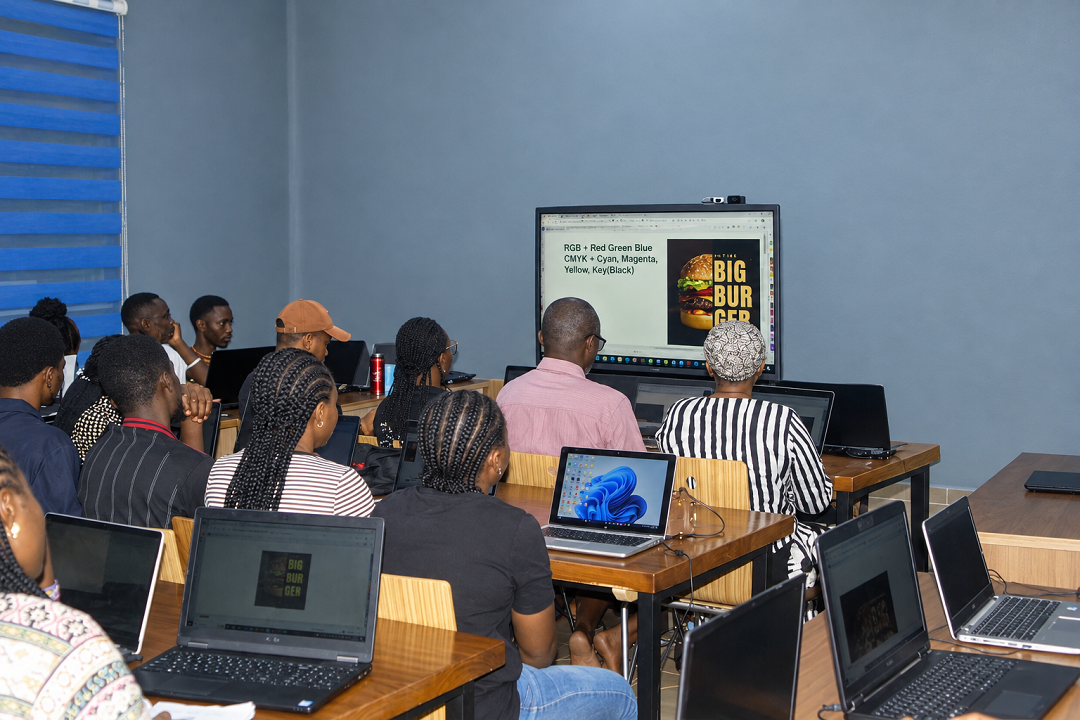
Knowing how to use a computer is no longer enough for many office jobs. Employers also expect workers to prepare documents, manage information, communicate with customers, organise files, and use common office applications. These are some of the skills that make up office essentials skills.
For students, fresh graduates, job seekers, and working professionals in Nigeria, learning these skills can make everyday work easier and improve job opportunities. They are useful in almost every industry, from business administration and finance to education, customer service, and technology.
The good news is that most office essential skills can be learned from scratch. With regular practice and the right training, beginners can develop the knowledge needed to handle common workplace responsibilities. Discover our hands-on Office Essentials Course in Abuja to gain practical digital literacy.
What Are Office Essential Skills
Office essentials skills are the basic computer, administrative, communication, and organisational skills people need to carry out everyday office tasks.
Office essentials skills are the basic computer, administrative, communication, and organisational skills people need to carry out everyday office tasks.
Some workplaces may require additional skills, such as basic graphic design, online collaboration, and the use of artificial intelligence (AI) tools. The specific skills needed depend on the job, but having a good foundation makes it easier to learn new applications and handle different responsibilities. Learn more about our foundational programs at PVC Early Code Institute.
Advance Your Career with Office & Digital Skills Training in Abuja

Nyanya Learning Center
Services: Trainings, Mentorship, SIWES Placement, and Internship
Basic Office Skills To Develop
1. Basic Computer Operations
Before learning advanced office applications, it is important to understand how to use a computer properly. This includes turning a computer on and off, using a keyboard and mouse, opening applications, connecting to the internet, and saving files.
File management is another important part of computer literacy. Workers should know how to create folders, rename files, move documents, and find saved information when needed.
Learning keyboard shortcuts can also save time. For example, Ctrl+C copies selected content, Ctrl+V pastes it, Ctrl+S saves a file, and Ctrl+Z reverses the previous action in many applications.
These may seem like small things, but they make everyday computer work much easier.
2. Microsoft Word And Document Preparation
Microsoft Word is one of the most commonly used applications in an office. It helps users prepare letters, reports, meeting minutes, memos, proposals, and other business documents.Microsoft Office Desktop Applications Course.
Learning Word involves more than typing. Users should understand how to format text, adjust page layouts, insert tables and images, check spelling, and organise information into readable sections.
It is also useful to know how to save documents in different formats, especially PDF, when sharing a final copy.
For example, an administrative assistant may need to prepare an official letter for a manager or write meeting minutes for an organisation. Knowing how to use Word makes these tasks easier and helps the documents look professional.
3. Microsoft Excel And Data Management
Many organisations handle information every day, including employee records, sales figures, expenses, customer details, and financial transactions. Microsoft Excel helps users organise this information and perform basic calculations.
Beginners should start with data entry, cell formatting, simple formulas, sorting, filtering, and creating charts. Formulas such as SUM and AVERAGE are useful for calculating totals and finding averages without doing everything manually. Build strong numerical skills through our Practical Excel Training in Abuja.
Google Sheets is another option, particularly when several people need to work on the same spreadsheet online.
Excel is worth learning because its uses extend beyond administrative work. With further training, the skills gained can also provide a starting point for data analysis and reporting. Upgrade your analytical capabilities via our full Data Analysis Program.
4. Microsoft Powerpoint And Presentation Design
Employees sometimes need to present reports, explain ideas, or share project updates with a team. Microsoft PowerPoint makes it possible to arrange information into slides using text, images, charts, and other visual elements.
A good presentation should be easy to follow. Beginners should learn how to organise their points, use readable text, choose suitable colours, and avoid overcrowding slides with too much information.
These skills are useful for students preparing academic presentations as well as professionals presenting business proposals or monthly reports.
5. Communication Skills
Being good with computers is important, but communication is just as necessary in the workplace. Employees need to explain information clearly, listen to instructions, respond to questions, and work respectfully with colleagues and customers.
Written communication includes emails, reports, and official letters. Verbal communication covers meetings, phone calls, presentations, and conversations with clients.
Professional email writing is particularly useful. A good email should have a clear subject, a polite greeting, a direct message, and an appropriate closing. Before sending it, check for spelling mistakes and make sure the message is easy to understand.
Good communication helps prevent misunderstandings and makes it easier for people to work together.
6. Basic Graphic Design Skills
Some office responsibilities involve preparing simple flyers, announcements, certificates, social media graphics, or promotional materials. Basic graphic design skills can help employees handle these tasks without always relying on a professional designer.
Canva is a useful starting point for beginners because it provides templates and simple editing tools. Users can learn how to arrange text and images, choose colours, and create designs that suit a particular purpose. Explore creative techniques in our Graphics Design Course or learn social media branding through our Digital Marketing Training.
Not every office worker needs advanced design skills, but knowing how to produce a clear and attractive document or graphic can be an added advantage.
7. Artificial intelligence and digital productivity
AI tools are becoming part of everyday office work. Depending on the tool and the task, they can help users draft emails, summarise long documents, generate ideas, and prepare an initial version of a report.
However, AI should be used carefully. Its responses may contain errors, so information must be checked before it is used in official work. Employees should also avoid entering confidential company or customer information into tools that have not been approved by their organisation.
Essentials microsoft office applications for work
Microsoft office applications are useful for handling many routine office responsibilities. Beginners should focus on the following:
- Microsoft word: Preparing letters, reports, memos, and other documents.
- Microsoft Excel : Organising data, performing calculations, and preparing basic reports.
- Microsoft PowerPoint: Creating slides for meetings, presentations, and proposals.
- Microsoft Outlook: Managing emails, contacts, calendars, and meeting invitations.
- Microsoft Teams: Communicating with colleagues, attending online meetings, and collaborating on work.
Word, Excel, and PowerPoint are particularly useful starting points. For instance, an office administrator may write a report in Word, record monthly expenses in Excel, and use PowerPoint to present the results to a manager.
Learning these applications through practical exercises is more useful than simply memorising what each one does.
Educational qualifications and office jobs in nigeria
The educational requirements for office jobs depend on the employer and the position. Some roles may accept candidates with a secondary school certificate, while others require an ND, HND, bachelor's degree, or a qualification related to the job. Educational standards and guidelines in Nigeria are overseen by bodies such as the Federal Ministry of Education.
Practical skills also matter. A candidate who can confidently prepare documents, manage spreadsheets, handle emails, and organise records may be better prepared for the daily responsibilities of an office role.
However, office skills do not automatically replace formal qualifications where an employer requires them. Job seekers should read vacancy announcements carefully and check the stated educational requirements before applying.
For people who want to improve their chances of employment, combining relevant qualifications with practical computer skills is a sensible approach.
What to expect from an office essentials cause
An Office Essentials course introduces learners to the tools and skills used in everyday office work. Although the content varies between training providers, a course may cover:
- Basic computer operations and file management.
- Microsoft Word, Excel, and PowerPoint.
- Email writing, internet use, and online research.
- Data entry and record keeping.
- Professional communication and workplace etiquette.
- Basic graphic design using tools such as Canva.
- Digital collaboration through Google Workspace.
- Responsible use of AI productivity tools.
Practical assignments are an important part of the learning process. Students should have opportunities to prepare documents, create spreadsheets, design presentations, and organise digital files themselves.
Before enrolling, check the course content and make sure it includes hands-on training. Being able to demonstrate what you have learned is more valuable than simply knowing the names of different applications.
Acquiring foundational digital literacy and office application skills significantly increases employability and workplace productivity across administrative and corporate sectors.- Global Digital Skills Development Framework
Benefits of Learning Office Essentials Skills
Office essentials skills can be useful at different stages of a person's career.
- They can improve job readiness. Learning common office applications helps prepare students and job seekers for administrative assistant, office assistant, data entry, and other suitable entry-level positions.
- They make daily tasks easier. Knowing how to use Word, Excel, and email properly can reduce mistakes and help workers complete assignments more efficiently.
- They are useful across different industries. Businesses, schools, hospitals, financial institutions, and many other organisations depend on digital tools and accurate record keeping.
- They provide a foundation for further learning. Someone who learns Excel can progress to advanced spreadsheets and data analysis. Someone who develops communication and organisational skills may also find it easier to learn project management and other professional tools.
- They can strengthen a CV. Listing office applications and skills you can genuinely use helps employers understand what you can contribute. Practical examples of your work can provide further evidence of your abilities.
Office essentials skills are useful for anyone preparing for employment or looking to become more effective at work. Basic computer operations, Microsoft Word, Excel, PowerPoint, communication, email management, and data handling are good places to start.
You do not need to master everything at once. Begin with computer basics, practise using Microsoft Office applications, and gradually move on to online collaboration, graphic design, and AI productivity tools.
Most importantly, practice with real tasks. Prepare a formal letter, create a spreadsheet for monthly expenses, design a short presentation, and organise files into folders. These exercises will help you understand how the skills apply to actual workplace responsibilities.
With consistent practice and suitable training, you can build a solid foundation that supports your job search, professional development, and future learning.
Author's Bio

Simon Joseph Uche
Content Developer (web articles)I am Simon Joseph Uche, a Full Stack Web Developer and Content Developer at Early Code Institute. I am responsible for building and maintaining responsive websites and developing engaging web articles and content for the institute's platforms. I focus on clean code, clear content, and user-friendly website experiences, using modern technologies like JavaScript, React, and Next.js.