Ad by early code
Transform Data into Insight
Early Code Institute turns beginners into advanced Excel users with mentor-led, practical, and affordable training.
Microsoft Excel Mastery Course- Learn Advanced Tools and Skills
Anna Edehgoghene Enerieta - Published December 4, 2025
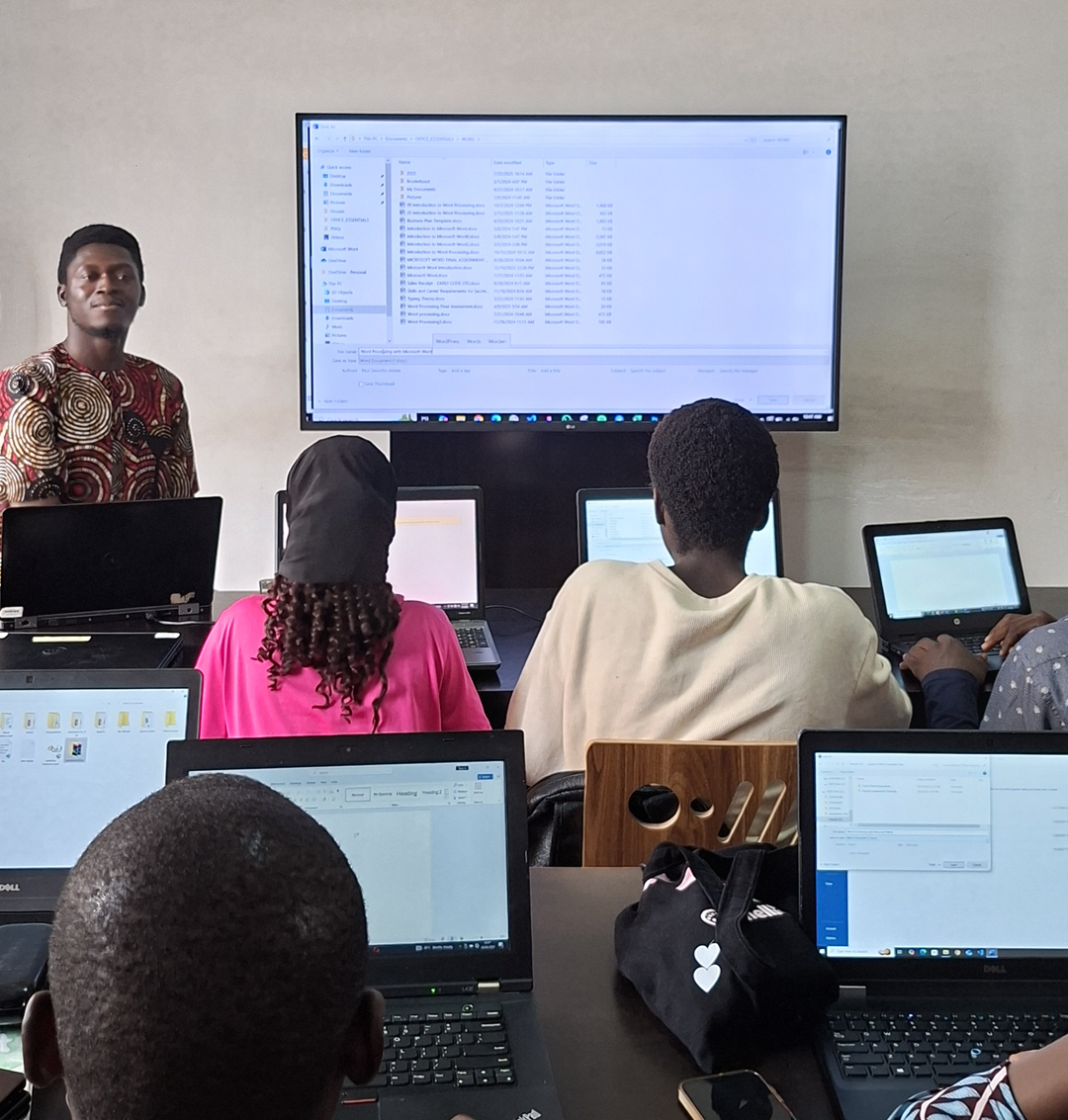
At Early Code Institute, we believe in a foundational approach to digital literacy, and that includes mastering tools beyond just code. We see Microsoft Excel as a critical application for any aspiring tech professional.
The way we teach it mirrors our coding curriculum: we focus on hands-on, project-based learning. Instead of just memorizing functions, you'll learn to think logically, solve problems, and manipulate data, skills that are directly transferable to building software and applications.
Course overview
Mastering Microsoft Excel is a crucial skill for professionals and individuals alike. Excel's versatility and powerful features make it an indispensable tool for data analysis, visualization, and management.
A comprehensive Excel mastery course covers advanced data analysis techniques. These courses are designed to equip you with the skills needed to efficiently manage and analyze data in any profession.
Some keywords in Excel:
- Microsoft Excel: At its core, Microsoft Excel is a powerful spreadsheet program used for storing, organizing, and manipulating data. Think of it as a digital ledger that can handle everything from simple lists to complex financial models. It's an indispensable tool in the business world for its ability to perform calculations, create charts, and manage large amounts of information.
- Data Entry: This is the process of inputting information into a spreadsheet. While it sounds simple, accurate and consistent data entry is the foundation of any reliable analysis. Without clean data, the results of your calculations will be flawed. This process can be done manually by typing information into cells or automatically by importing data from other sources, such as a website or a database.
- Data Validation: This is a feature in Excel that helps control what information can be entered into a cell. It's a key tool for preventing errors and ensuring data quality. Instead of manually checking every entry, you can set rules to restrict input to specific values. For example, you can create a dropdown list of options, ensuring users select from a predefined list. You can also set rules to only allow numbers within a certain range, dates within a specific timeframe, or text that fits a particular length. This feature is essential for creating robust, user-friendly spreadsheets, especially in a collaborative environment.
- Excel Dashboard: This is a visual report that combines charts, tables, and key metrics into a single, easy-to-read interface. The goal of a dashboard is to give decision-makers a quick and clear overview of important data, such as sales performance, project progress, or financial health.
- Business Data Analysis: This is the process of examining raw data to draw conclusions and identify trends that can help a business make better decisions. Excel is a primary tool for this because of its powerful features for sorting, filtering, and summarizing data.
- Budget: This is a financial plan that estimates an organization's or an individual's income and expenses over a specific period. Excel is widely used for creating and managing budgets because it allows for flexible calculations and easy tracking.
A 2024 report found that Microsoft Office and Excel are the most sought-after digital skills across 15 countries. Another source from 2023 indicates that 92% of jobs require at least some digital skills, with Excel being a fundamental one.- -eric.ed
Understanding Advanced Excel Functions
Advanced Excel functions are the tools you use to perform complex data analysis, handle large datasets, and automate tasks that would be tedious to do manually. Functions are at the heart of Excel, but most users barely go beyond SUM or AVERAGE.
Advanced Excel functions give you the ability to manipulate, analyze, and organize data in ways you never imagined. This module ensures you don't just know the formulas, you understand when, why, and how to use them for real-world problems. Key functions:
- Advanced Functions and Formulas: This is the core of advanced Excel. Instead of just summing up numbers, you use functions to perform complex calculations and data manipulations.
- Lookup Functions: Functions like VLOOKUP, INDEX ,& MATCH, and the more modern XLOOKUP are used to quickly find and retrieve specific data from large tables. They are essential for tasks like merging data from different lists or finding a specific customer's information.
- Logical Functions: IF, IFS, AND, and OR let you build formulas that make decisions based on specific conditions. This is used to create dynamic rules and calculations, such as automatically flagging a transaction as "over budget" if it exceeds a certain amount.
- Text & Data Functions: Functions like TRIM, LEFT, RIGHT, and CONCATENATE are crucial for cleaning and preparing messy data, such as removing extra spaces or combining text from multiple cells.
- Automation and Data Management: These skills focus on making your work more efficient and reliable.
- Macros and VBA: A macro is a series of recorded actions that can be replayed to automate repetitive tasks, like formatting a report or generating a weekly summary. VBA (Visual Basic for Applications) is the programming language behind macros, allowing you to write custom scripts for more complex automations.
- Power Query: This is a powerful, built-in tool for connecting to, cleaning, and transforming data from multiple sources. It automates the data preparation process, saving you from tedious manual work and ensuring your data is ready for analysis.
- Data Validation: This feature helps maintain data integrity by setting rules for what can be entered into a cell. You can use it to create dropdown lists, restrict numbers to a certain range, or prevent invalid entries, which is crucial for creating robust and error-free spreadsheets.
- Data Analysis and Visualization: Advanced Excel skills are primarily about extracting meaningful insights from data and presenting them effectively.
- PivotTables and PivotCharts: A PivotTable is one of Excel's most powerful tools for summarizing and analyzing massive datasets in seconds. You can easily group data, calculate totals, and identify trends without altering the raw data. A PivotChart provides a dynamic visual representation of the PivotTable, making your analysis easy to understand.
- Conditional Formatting: This feature goes beyond basic formatting. It automatically changes the appearance of cells based on their values, creating a visual "dashboard" that highlights patterns, trends, and outliers at a glance. You can use data bars, color scales, or icon sets to make critical data stand out.
- Advanced Charting: While basic charts are useful, advanced skills include creating combo charts (e.g., a bar chart with a line graph overlay), adding trendlines for forecasting, and using Slicers to create interactive dashboards that allow users to filter data with a single click.
Get Microsoft Excel Training in Early Code Institute

Nyanya Learning Center
Services: Trainings, Mentorship, SIWES Placement, and Internship
Where to Learn Advanced Microsoft Excel Tools and Skills
Early Code Institute is a leading tech and computer training school that provides a solid pathway to mastering advanced Microsoft Excel tools and skills. Its approach often combines beginner-to-advanced training with practical, hands-on experience, which is essential for mastering complex software.
At Early Code Institute, we offer:
- Practical Training: At Early Code Institute, the learning experience is built around hands-on, project-based training. It's muscle memory built by working on real spreadsheets, Power Query transformations, large PivotTables, interactive dashboards, macros/VBA routines, financial models, and data cleaning pipelines.
- Flexible Schedule: This allows students to choose a schedule that suits their needs. For those working, so it won't bridge their work days.
- Comprehensive Curriculum from Beginner to Advanced: Early Code Institute provides a comprehensive curriculum that takes you on a structured journey from beginner to advanced. The courses are designed to ensure you master each concept before moving on to the next.
- Experienced Instructors and Mentorship: At Early Code Institute, you're guided by experienced instructors who offer expert mentorship and constructive feedback. They can help you troubleshoot a complex formula, explain the logic behind a data model, or show you best practices that are difficult to learn from online tutorials alone.
Who Should Take a Microsoft Excel Mastery Course
A Microsoft Excel mastery course is ideal for anyone who wants to improve their Excel skills and take their career to the next level. Some professionals who can benefit from this course include:
- Financial Analysts can use Excel to analyze financial data, create financial models, and forecast future trends.
- Marketing Professionals Can use Excel to analyze customer data, create marketing campaigns, and track sales performance.
- Operations Managers can use Excel to analyze supply chain data, optimize operations, and improve efficiency.
- Data Analysts can use Excel to analyze and visualize data, gain insights, and make informed decisions.
Benefits of the Microsoft Excel Mastery Course
A Microsoft Excel Course can be beneficial in many ways. Some of the benefits include:
- Improve Productivity: By mastering advanced Excel tools and skills, you'll be able to automate repetitive tasks, streamline workflows, and focus on more complex data analysis tasks.
- Enhance Career Prospects: Proficiency in Excel is a highly sought-after skill in the job market. By mastering Excel, you'll be able to enhance your career prospects and increase your earning potential.
- Better Decision-making: By learning advanced data analysis techniques, you'll be able to gain deeper insights into your data and make more informed decisions.
Author's Bio

Anna Edeghoghene Enerieta
A Technical Writer and PublisherA creative storyteller who brings words and visuals to life, a technical writer who simplifies tech concept through clear, engaging content. With a background in English Education, writes practical guides and articles to help beginners navigate the digital world with confidence.